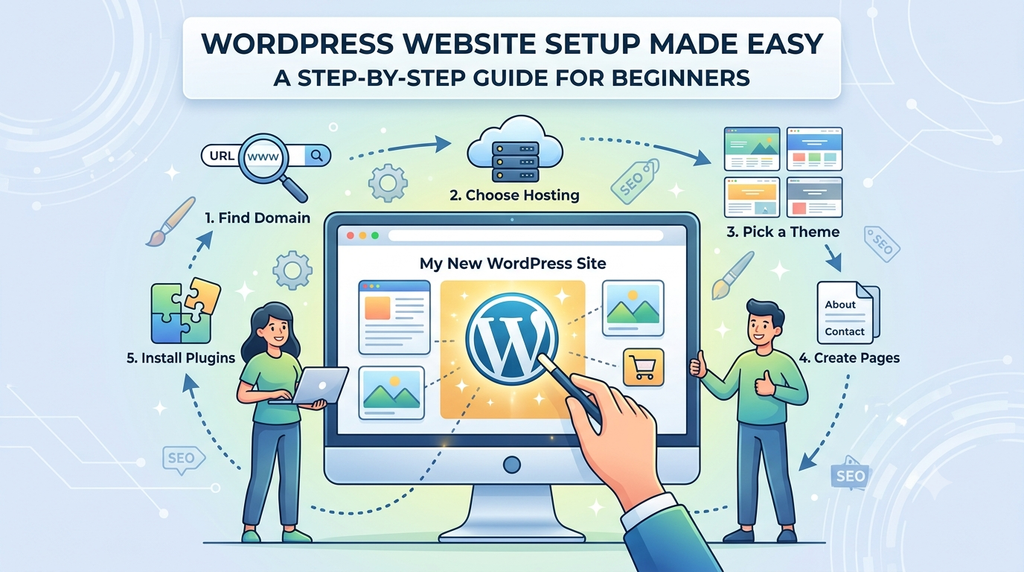
Creating a website may sound complicated if you have never worked with web development before. The good news is that you no longer need to be a coding expert to build a professional-looking website. With WordPress, you can create a blog, business website, portfolio, online store, or personal website with relatively little technical knowledge.
WordPress remains one of the most widely used website platforms in the world. According to W3Techs, as of September 2026, WordPress is used by 40.2% of all websites and accounts for 58.8% of websites whose content management system is known. WW3Techs
That popularity is not surprising. WordPress is open-source, highly customizable, and supported by a huge ecosystem of themes, plugins, developers, and online resources.
In this guide, we’ll walk through how to set up a WordPress website step by step, from choosing a domain and hosting to selecting a theme, creating pages, installing essential plugins, and getting your site ready for visitors.
Why Choose WordPress for Your Website?
Before getting into the setup process, it’s worth understanding why WordPress is so popular.
WordPress can be used to create everything from a simple personal blog to a sophisticated business website. The official WordPress documentation describes it as a platform that can be used for blogs, websites, or websites that combine both. W
Some of its key advantages include:
- Easy to use: You can create and manage content without advanced coding skills.
- Flexible: Themes and plugins allow you to change the appearance and functionality of your website.
- Scalable: You can start with a small website and add features as your needs grow.
- Large ecosystem: Thousands of plugins and themes are available to extend your site.
- Open source: The WordPress software itself is free to download and use.
Step 1: Choose a Domain Name
Your domain name is the address people will type into their browser to find your website.
For example:
yourbusiness.comjohnsmith.commytravelblog.com
Try to choose a domain that is:
- Short and easy to remember
- Simple to spell
- Relevant to your brand or website
- Easy to pronounce
- Free from unnecessary numbers or hyphens
If you’re creating a business website, using your business or brand name can make your website easier for customers to recognize
Conclusion
Setting up a WordPress website doesn’t have to be complicated. With a domain, reliable hosting, a suitable theme, useful plugins, and well-organized content, beginners can create a professional website without becoming expert developers.
The key is to start with the essentials and improve your website gradually. Don’t try to add every feature at once. Focus first on creating a fast, easy-to-navigate, mobile-friendly website that provides real value to visitors.
With WordPress powering 40.2% of all websites as of September 2026, its continued popularity shows how widely the platform is used across the web.
Start simple, keep your website updated, publish useful content, and improve the experience as your audience grows.
Frequently Asked Questions
1. Is WordPress free to use?
Yes. The WordPress software is open-source and can be downloaded and used without paying for the software itself. However, you’ll generally need to pay for services such as web hosting and a domain name.
2. Do I need coding knowledge to create a Word code. However, coding knowledge can be useful if you want to make advanced custom it take to create a WordPress website while a larger business website, blog, or online store can take considerably longer. The timeline depends or higher, MySQL 8.0 or higher or MariaDB 10.11 orPress website?
No. Beginners can create and manage many types of WordPress websites without writing code. However, coding knowledge can be useful if you want to make advanced customizations.
3. How long does it take to create a WordPress website?
A basic website can potentially be set up in a few hours, while a larger business website, blog, or online store can take considerably longer. The timeline depends on the number of pages, customization, content, and functionality required.
4. What hosting requirements does WordPress recommend?
The current WordPress requirements recommend PHP 8.3 or higher, MySQL 8.0 or higher or MariaDB 10.11 or higher, and HTTPS support.
5. Can I change my WordPress theme later?
Yes. You can change your WordPress theme later. However, it’s important to review your